



Hello, I’m Clive Chen, an engineer at Rapmaf. In our world of manufacturing, you’ll see the acronym “CNC” everywhere. It’s on machines, in job descriptions, and on technical drawings. While some people might wonder if it’s a medical term or just industry jargon, for engineers, designers, and machinists, CNC represents one of the most transformative technologies of the past century. It is, without exaggeration, the backbone of modern precision manufacturing.
But what does CNC actually mean?
The goal of this two-part guide is to demystify CNC completely. We’ll start by breaking down the acronym and understanding the fundamental shift it represents from traditional machining. We will then walk through the entire digital workflow, from a 3D model on a screen to a finished metal part in your hand.
Breaking Down the Acronym: Computer Numerical Control
At its core, CNC stands for Computer Numerical Control. Let’s look at each word, because each one is critical to understanding the concept:
- Computer: This is the brain of the operation. Unlike older automated machines that used mechanical relays or punched tape, a modern CNC machine is run by a dedicated, sophisticated computer. This computer reads a set of digital instructions and translates them into precise movements.
- Numerical: This refers to the language the computer speaks. The instructions given to the machine are not vague commands; they are a highly specific set of numbers. These numbers define every aspect of the operation: coordinates on a Cartesian plane (X, Y, and Z axes), the speed of the cutting tool, the feed rate of the material, which tool to use, when to turn coolant on or off, and more. This numerical data ensures absolute precision and repeatability.
- Control: This is the action. The computer takes the numerical instructions and uses them to control the machine’s motors, drives, and actuators. It commands the machine to move its tools and workpiece in perfect synchronization, executing the programmed operations flawlessly.
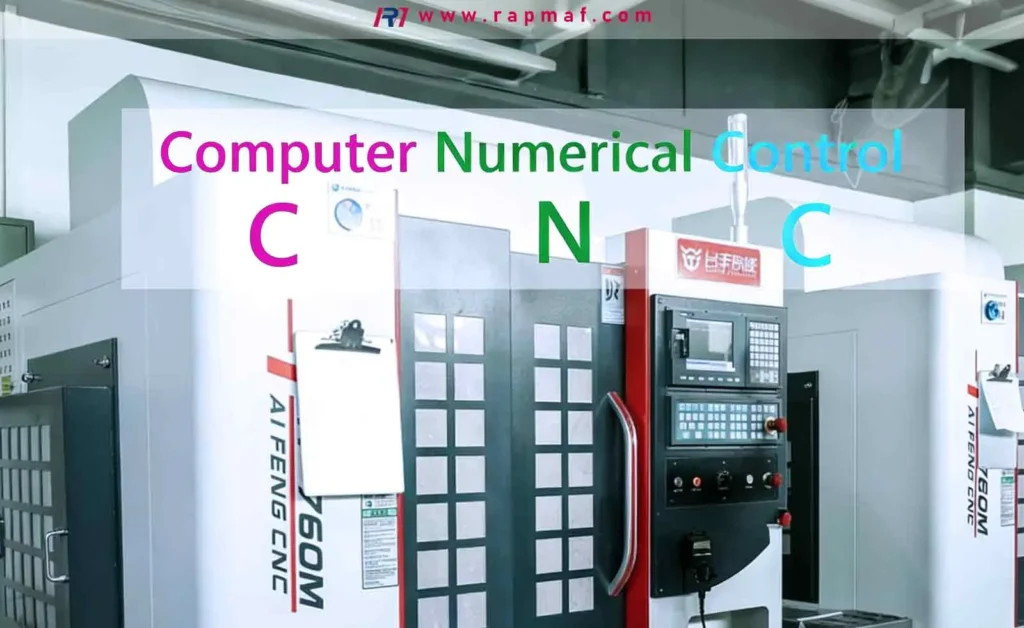
So, in simple terms, CNC machining is a process where a computer uses a program of numerical coordinates and commands to control a machine tool and shape a piece of material.
The “Before CNC” World: The Art of Manual Machining
To truly appreciate what CNC brought to the world, you have to understand what it replaced: manual machining.
Imagine a highly skilled machinist standing in front of a large metal lathe or milling machine. To create a part, they would rely on a printed blueprint, a steady hand, and years of experience. They would manually turn cranks and wheels to move the cutting tool or the workpiece, carefully reading the hash marks on analog dials to gauge their position. They would adjust the machine’s speed based on the sound and feel of the metal being cut.
This was, and still is, a remarkable craft. A master machinist can produce incredibly accurate parts. However, the manual process has inherent limitations:
- Speed: It is a slow, methodical process.
- Complexity: Creating complex curves or multi-axis contours is extremely difficult, if not impossible.
- Repeatability: Making two parts that are exactly identical is a monumental challenge. Making a hundred identical parts is a near certainty for introducing small, human-induced variations.
- Human Error: One moment of distraction, one misread dial, could result in a scrapped part and wasted material.
CNC was developed to solve every single one of these problems. It takes the “craft” of the machinist’s movements and codifies it into a perfect, endlessly repeatable digital program.
How Does CNC Machining Actually Work? The Digital Workflow
The CNC process transforms a digital design into a physical object through a subtractive manufacturing process. This means we start with a solid block of material (like aluminum, steel, or plastic) and systematically cut away, or subtract, material until only the final desired shape remains.
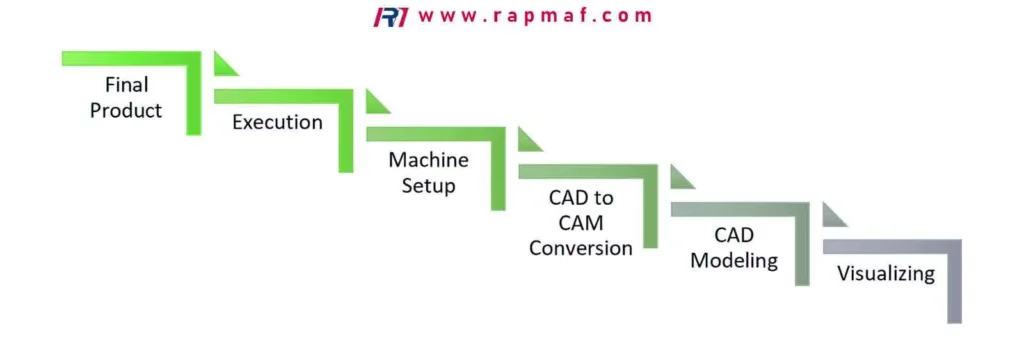
This entire workflow can be broken down into four key steps:
Step 1: The Digital Design (CAD)
Everything begins with a 2D or 3D model. An engineer or designer uses Computer-Aided Design (CAD) software (like SolidWorks, Autodesk Fusion 360, or CATIA) to create a precise digital blueprint of the part. This CAD model contains all the geometric information: dimensions, hole locations, curves, and surface contours.
Step 2: The Toolpath Generation (CAM)
A raw 3D model is just a picture; the CNC machine doesn’t know how to make it. This is where Computer-Aided Manufacturing (CAM) software comes in. The CAM software imports the CAD model, and a programmer (who is often a skilled machinist) uses it to generate the cutting strategy. They decide:
- Which tools to use (e.g., a large end mill for roughing, a small ball mill for finishing).
- The order of operations.
- The cutting speeds and feed rates for the specific material.
- The precise path the tool will take to remove material efficiently and safely.
The output of the CAM software is a text file containing thousands of lines of code, typically in a language called G-code. This G-code is the set of numerical instructions that the CNC machine will read. A simple line of G-code might look like this: G01 X50.0 Y25.5 Z-5.0 F150; which tells the machine to make a straight-line move (G01) to the coordinates X=50mm, Y=25.5mm, Z=-5mm at a feed rate (F) of 150mm per minute.
Step 3: Machine Setup
This is where the skill of the human operator is still absolutely critical. Before pressing “Cycle Start,” the CNC machinist must:
- Secure the Workpiece: The block of raw material (the “stock”) must be rigidly clamped into a vise or fixture on the machine’s bed. Any movement will ruin the part.
- Load the Tools: The correct cutting tools must be loaded into the machine’s tool changer in the specified order.
- Set the Work Offset: The machinist must tell the machine precisely where the raw material is located in space. This is done by touching a probe or the tool to the edges and top surface of the stock to establish a “zero point” or “work coordinate system” (e.g., G54). This aligns the digital G-code program with the physical workpiece.
Step 4: Execution
With the setup complete, the operator closes the safety doors, and the machine takes over. The computer reads the G-code, line by line, and executes the commands with incredible speed and precision. It moves the axes, changes tools automatically, and turns on coolant to lubricate the cut and evacuate chips. The machine works tirelessly, executing the program exactly the same way every time, whether it’s making one part or ten thousand.
What Are the Common Types of CNC Machines?
While there are many specialized CNC machines, most fall into one of these five primary categories. The main difference between them is how they move the tool and the workpiece to remove material.
1. CNC Mills (or Machining Centers)
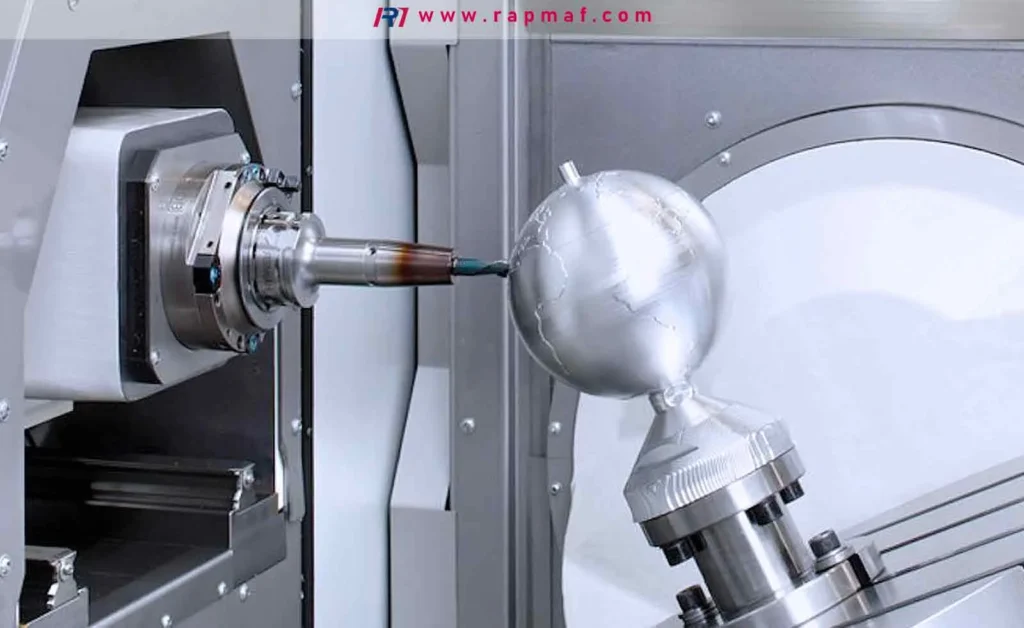
This is often what people picture when they think of CNC. In a CNC mill, the workpiece is held stationary on a moving bed, and a rotating cutting tool (like an end mill or a drill bit) is held in a spindle. The machine moves the bed (in the X and Y axes) and the spindle (in the Z axis) to cut the material. This is ideal for creating prismatic parts, slots, holes, and complex 3D surface contours.
- Axes: The most basic mills are 3-axis machines. More advanced 5-axis machines can also tilt and rotate the tool or the workpiece, allowing them to machine incredibly complex geometries in a single setup.
2. CNC Lathes (or Turning Centers)
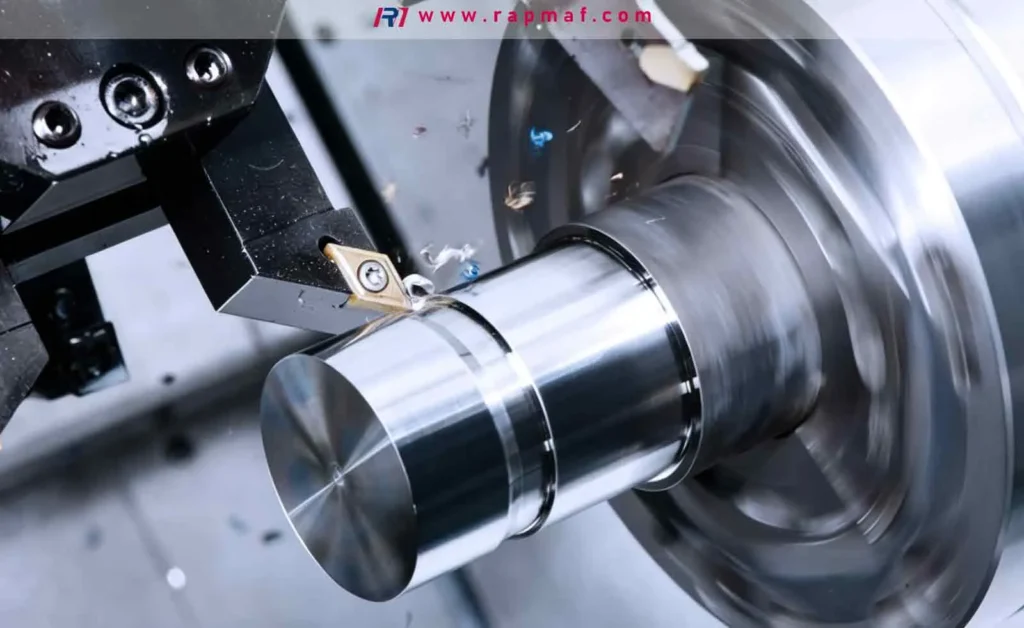
A lathe operates on the opposite principle of a mill. Here, the workpiece (typically a cylindrical rod) is clamped in a chuck and rotated at high speed. A stationary cutting tool is then moved into the spinning material to cut it. Lathes are used exclusively for creating cylindrical parts or parts with rotational symmetry, like shafts, pins, rings, and custom bolts.
- Live Tooling: Modern CNC turning centers often have “live tooling,” which means they also have a small, powered spindle that can hold a rotating tool like a drill or an end mill. This allows the machine to create features like off-center holes or milled flats without needing a separate milling operation, making it a “mill-turn” machine.
3. CNC Routers
A CNC router is conceptually similar to a mill but is typically designed for cutting softer materials like wood, plastic, foam, and soft metals like aluminum. They are often built with a large, flat bed and a gantry that moves the spindle over the top. They excel at cutting large sheets of material for applications like cabinet making, sign making, and fabricating plastic components.
4. CNC Plasma and Laser Cutters
These machines also typically use a gantry system over a flat bed, but instead of a spinning tool, they use a high-energy source to cut through metal sheets.
- Plasma Cutters use a jet of superheated, ionized gas (plasma) to melt and blast through electrically conductive materials like steel and aluminum.
- Laser Cutters use a highly focused beam of light to melt or vaporize the material with extreme precision. They can cut metals, plastics, and even wood with a very fine cut line (kerf) and excellent edge quality.
5. CNC Grinders
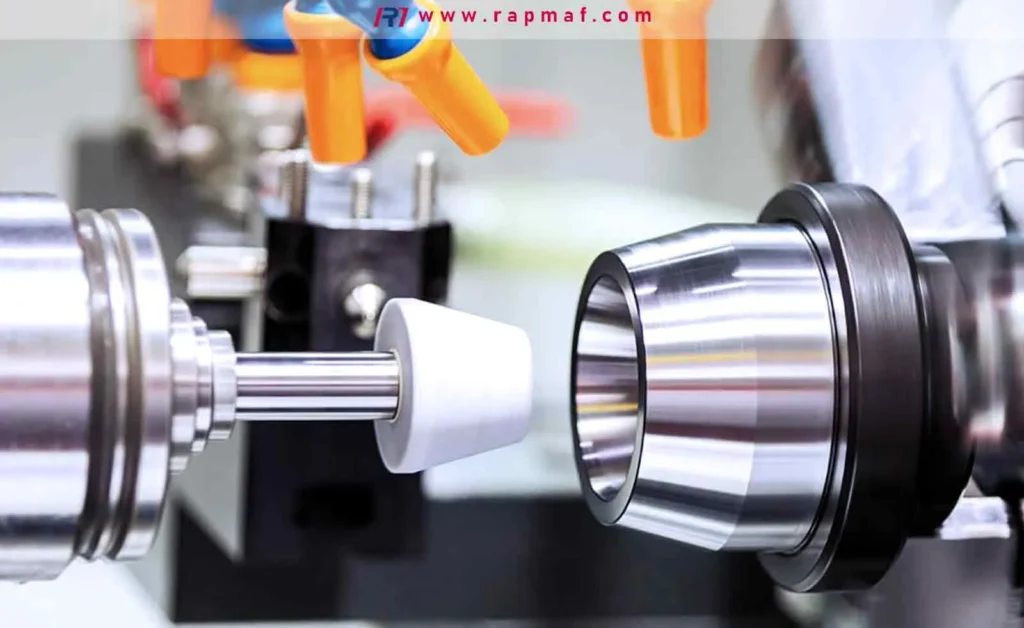
Grinding is a finishing process that uses a rotating abrasive wheel to remove very small amounts of material. A CNC grinder can achieve incredibly tight tolerances and exceptionally smooth surface finishes, far beyond what’s possible with a standard cutting tool. They are used for making high-precision components like ball bearings, engine shafts, and cutting tools themselves.
Is a 3D Printer a CNC Machine?
This is a fantastic and very common question. The answer is: Yes, technically, but we don’t refer to it that way.
A 3D printer is absolutely a “Computer Numerically Controlled” device. It uses G-code and a computer to control the movement of a print head along X, Y, and Z axes. However, the fundamental process is the exact opposite of traditional CNC machining.
- CNC Machining is Subtractive: It starts with a solid block and removes material.
- 3D Printing is Additive: It starts with nothing and builds the part layer by layer from a filament, powder, or liquid resin.
Because this distinction is so fundamental, the industry has adopted separate terminology. We refer to “CNC Machining” for subtractive processes and “Additive Manufacturing” or “3D Printing” for additive processes. They are two different branches of the digital manufacturing tree, both controlled by the principles of CNC.
Table 1: CNC Machining vs. 3D Printing
| Feature | CNC Machining (Subtractive) | 3D Printing (Additive) |
|---|---|---|
| Process | Removes material from a solid block | Adds material layer by layer |
| Materials | Metals (steel, aluminum), plastics, wood | Plastics (PLA, ABS), resins, some metals |
| Strengths | High precision, excellent surface finish, strong parts (using wrought material) | Complex internal geometries, rapid prototyping, minimal material waste |
| Weaknesses | More material waste (“chips”), geometric limitations (undercuts can be hard) | Slower for bulk production, weaker parts (due to layer lines), limited material selection |
The Human Element: The CNC Machinist
A CNC machine is an incredibly powerful tool, but it is not autonomous. It requires a skilled human to make it work. This brings us to the career-oriented questions from the search results.
Is CNC hard to learn?
Learning CNC involves a mix of hands-on skills and computer literacy. The basics of operating a machine can be learned in a few months at a technical college or through on-the-job training. However, becoming a highly skilled CNC programmer and setup machinist—someone who can take a complex blueprint and turn it into a perfect finished part—takes years of practice and continuous learning. It requires a strong understanding of mechanics, materials science, mathematics (especially trigonometry), and problem-solving.
What does a CNC machinist do?
The role can vary.
- An Operator might be responsible for loading raw material, starting the program, and inspecting finished parts on a machine that has already been set up.
- A Setup Machinist is a more advanced role. They are responsible for interpreting blueprints, programming the job (or loading and editing a program), setting up the machine (fixtures, tools, offsets), and running the first part to ensure it meets spec.
- A CNC Programmer might work primarily in an office, using CAM software to create the G-code programs that the machinists will run on the shop floor.
Do CNC machinists make a lot of money?
The salary for a CNC machinist varies widely based on skill level, experience, industry (aerospace and medical typically pay more), and geographic location.
- An entry-level operator might start at a modest hourly wage.
- A skilled setup machinist or programmer with 5-10 years of experience, especially with advanced 5-axis machines, can earn a very comfortable living, with salaries often rivaling those of some four-year degree holders. The “highest salary” can be well into the six-figure range for top-tier programmers, application engineers, or shop-floor supervisors in high-cost-of-living areas.
The key takeaway is that CNC machining is not just a “job”; it’s a high-skill trade and a rewarding career path for those with a mechanical aptitude and an eye for detail.
Final Thoughts
So, what does CNC mean in machining? It means precision, repeatability, and efficiency. It is the digital language that allows us to translate a creative idea from an engineer’s mind into a tangible, functional part with microscopic accuracy. It has revolutionized nearly every industry, from the phone in your pocket to the airplane you fly in. While the machine does the cutting, it is the skill of the designer, the programmer, and the machinist that truly brings a CNC-machined component to life. It is the perfect synergy of human intellect and machine precision.
References
- National Institute for Metalworking Skills (NIMS). An organization that sets industry-recognized standards and provides credentials for machinists in the United States. Link to NIMS






